

When one developer works on an app, keeping track of changes is easy.
Add a second developer, then a third, plus a tester and a client waiting on an urgent fix, and things can get out of hand quickly.
Changes collide.
Unfinished work slips into the live site.
Something breaks, and nobody can say for sure what changed or who changed it.
If you want to prevent this from happening, you need an agreed-upon set of ground rules for how everything come together.
Developers call this a Git branching strategy: a written policy for how a team creates, names, combines and releases its code changes.
At SiteRocket Labs, we’ve used the same branching policy across our client projects for years.
We’ve now written it up as a free ebook: Branching Out: 8 Git Branching Rules for Boring Deployments.
This post explains what’s in it, the eight rules at its core, and why also we consider those rules essential for the security upgrades that we perform through Upgradia.
Branching Out:
8 Git Branching Rules for Boring Deployments
When several developers share one codebase, things can get messy fast. Branching Out lays out the simple rules our team uses to keep every change organized and safe to deploy.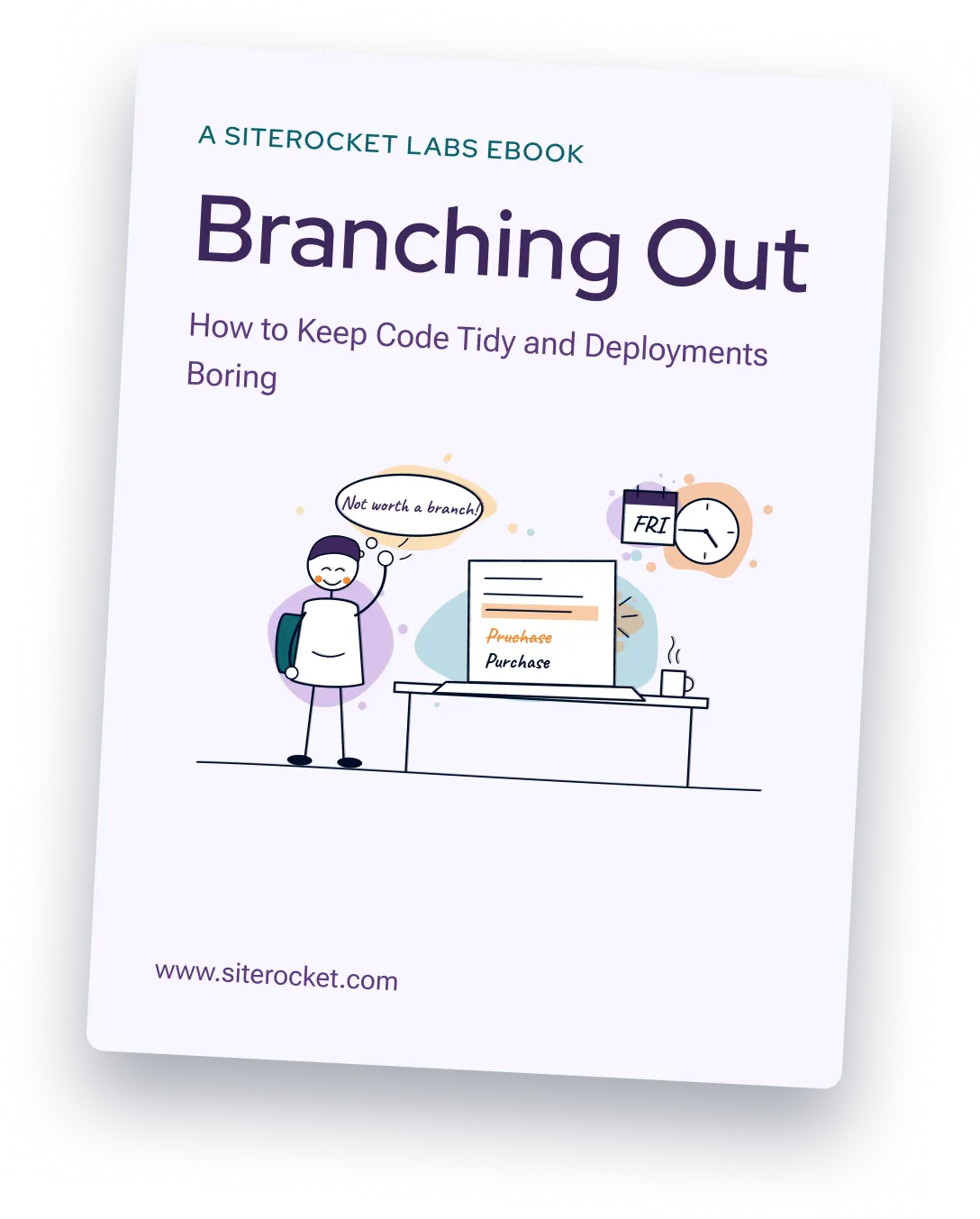
Get the free ebook ➞
Why does a development team need a branching policy?
A branching policy gives you five things:
- A readable history. When something breaks, you can see exactly what changed, when, and why.
- Safer releases. You always know what’s in production and what isn’t.
- Fewer surprises. Work in progress doesn’t leak into live code by accident.
- Easier teamwork. Nobody has to ask, “Wait, which branch should I use?”
- Boring deployments. When the process is predictable, releases stop being stressful. Boring is exactly what you want from a release.
The most important thing isn’t which policy you choose. It’s that you have one, it’s written down, and everyone follows it consistently.
What’s in the ebook?
Branching Out is a practical, plain-language guide written for developers, tech leads and the people who manage them. It covers:
- A quick Git refresher (merge commits, fast-forwards, rebasing and tags)
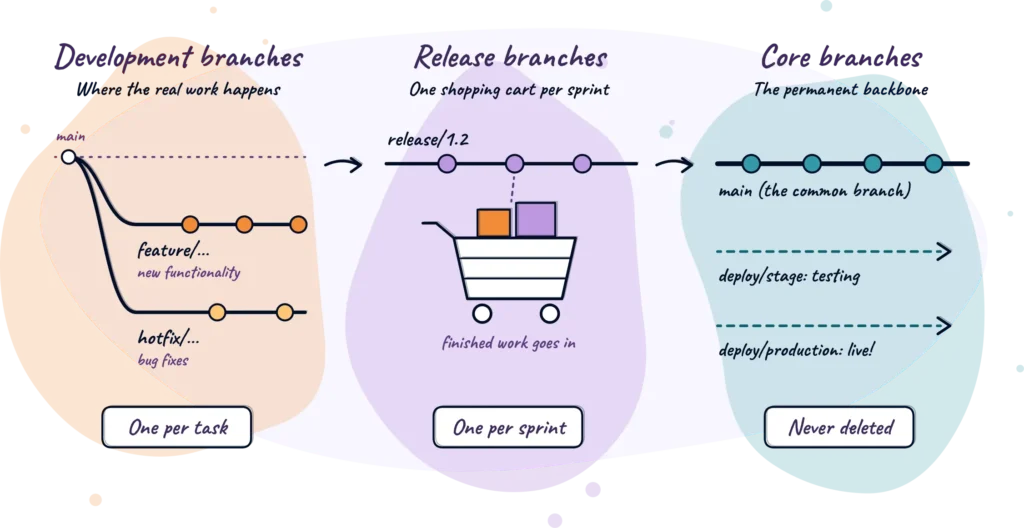
- The three families of branches we use: core, development and release
- A branch naming convention that supports traceability for standards like ISO 13485 and IEC 62304
- The full life of a change, from first commit to production
- Our eight golden rules, each with the reason behind it
- Our pull request and code review process
- How to adapt the policy to your own team size, release cadence and tools
- A one-page cheat sheet for branch names, tag formats and merge methods
The 8 golden rules of our Git branching policy
- Never delete a core branch. Core branches are the backbone of the project. Deleting one is like removing a load-bearing wall.
- Only lead developers create core branches. Core branches are wired to environments and deployments, so creating one should be a deliberate decision.
- Always branch from the latest commit on the common branch. Building on stale code invites conflicts and accidentally undoes other people’s work. Every change, however small, gets its own branch.
- Test through the release branch, and always make a merge commit. A
--no-ffmerge commit is a bookmark showing exactly where a feature joined the release, which makes it easy to pull back out. - Test a release by merging it into a non-production deploy branch, and tag it. Tags like
v1.2.0-alpha.3let anyone answer “what’s on stage right now?” in seconds. - Merge finalized releases into the common branch. Each release lands as a single, clearly marked unit.
- Deploy to production only by fast-forwarding from the common branch. Using
--ff-onlymeans production can never contain anything that hasn’t been merged, reviewed and tested. - Never merge the common or deploy branches into a development or release branch. Rebase instead. Deploy branches are temporary snapshots, and merging them in carries along changes that were never meant to survive.
The ebook explains each rule in detail, along with the real-world mistakes that led to it.
How do the branches fit together?
Changes always flow in one direction: from small branches into bigger ones, and then out to the world.
| Branch type | Naming format | Example |
| Feature | feature/<slug>-<TASK-ID> | feature/register-with-mfa-XY889 |
| Bug fix | hotfix/<slug>-<TASK-ID> | hotfix/fix-login-error-SA-421 |
| Release | release/<major>.<minor> | release/1.2 |
| Deploy | deploy/<environment> | deploy/production |
Pushing to a deploy branch automatically deploys to that environment. That’s why the rules about what can be merged into deploy branches, and how, are so strict.
Why these rules matter even more for security upgrades
We don’t just follow this policy on new development. It’s just as important, arguably more so, on the Upgradia side of our business, where we maintain custom-built applications and install security upgrades on an ongoing basis.
Security work has a few characteristics that make a disciplined branching policy essential:
- Upgrades are often “just one line.” Bumping a package version can be a one-line change to a dependency file. But a single upgrade can pull in breaking changes, and sometimes custom code has to be refactored to support it. That’s exactly why every upgrade gets its own development branch, reviewed and tested like any other change.
- Some upgrades need to be pulled out. When several package upgrades are batched into a release and one of them causes problems in testing, a merge commit per branch means we can remove that one upgrade cleanly and ship the rest. If changes had been committed directly to the release, we’d have no reliable way to know we’d removed all of it.
- Urgent patches still go through the process, just faster. When a critical vulnerability needs to be patched between sprints, the fix goes onto a hotfix branch, into the most recently released version’s release branch, and out as a patch version such as v1.2.1. It never bypasses review or goes straight to production.
- You need to know exactly what’s running. When a new vulnerability is announced, the first question is “are we affected?” Version tags on every deploy, and a production branch that only ever mirrors the common branch, let us answer that in minutes rather than hours.
For clients who trust us to keep their applications secure, “we think that’s what’s in production” isn’t good enough. A branching policy turns it into “we know.”
Three stories from the ebook
Every rule in Branching Out exists because somebody learned the hard way what happens without it. The ebook includes three cautionary tales (names changed to protect the embarrassed):
- The Friday Typo: how a ten-second fix committed directly to the main branch broke checkout for every customer in Canada.
- The Mystery Feature: how a shortcut to production gave a handful of customers 15% off everything for two weeks.
- The Haunted Branch: how merging the wrong branch smuggled another team’s discarded experiment into a feature.
Frequently asked questions
Is this the same as Git Flow?
No, though it shares some ideas, such as feature, hotfix and release branches. Our policy has no long-lived develop branch. Instead, it uses release branches tied to sprints and deploy branches that automatically deploy to an environment when pushed.
Should we merge or rebase?
Our policy uses both, each in a specific place. Development branches are merged into release branches with a merge commit, so each feature is easy to identify and remove. To bring a development or release branch up to date with the latest code, we rebase rather than merge, which keeps history in a straight, readable line.
Does a small team need a formal branching policy?
Yes, though it can be lighter. A two-person team might relax rules like who can create core branches. But the habits that protect production, such as reviewing every change and only deploying from the common branch, are worth keeping at any size.
What should a Git branch name include?
We recommend three parts: a type prefix (feature/ or hotfix/), a short descriptive slug in lowercase with dashes, and the task ID from your project management system. The task ID supports traceability, which some quality standards require.
Download the free ebook
Branching Out: 8 Git Branching Rules for Boring Deployments describes the policy we use internally. It’s one good way of doing things, not the only way, and it’s written so you can adapt it to your own team.
Get the free ebook ➞
If you’d like help setting up a workflow for your team, or you need a development partner that takes this kind of discipline seriously, get in touch. And if you have a custom application that needs ongoing security upgrades, Upgradia offers a free codebase report.